Vistagami get UMPC Touch Pack upgrade via Origmai Touch Pack

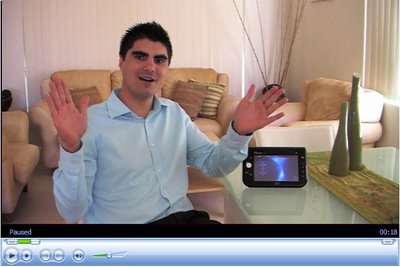
*Update 13th of January 6am* TO see the new Origami Touch Pack in action just play this video below. I think you'll be pleasantly surprised with th UI improvements, and even more excited about your nextGEN UMPC.


Video: UMPC - Samsung Q1P demoed at CES


My Original Verdict of the Touch Pack for UMPC


I recently shot a video welcoming newcomers to UMPC Software – an out of the box experience. In this video I covered several topics of interest to the Tabletscape including the Microsoft Touch Pack for UMPC. For those of you that remain unaware of an Ultra-Mobile PC it may interest you to know that the Touch Pack was Microsoft's clever attempt to drive consumers towards finger-driven computing. Via the Touch Pack a UMPC user was able to navigate through a traditional Windows Explorer environment while using only their finger. You can download the tutorial here, or view more edtails of how the UMPC Touch Pack works here.

As it turns out I wasn't the only one supplying this feedback as Microsoft has heeded our concerns and is working on a new Touch Pack…for Vista. If you don’t want to look at the video my point was this, the Touch pack had no depth and lacked any real function.

It seems that one of the prerequisites of this new Touch Pack will be that you are running Windows Vista on your Ultra-Mobile PC of choice. This is probably a good thing and will force manufacturers such as ASUS, Samsung and more to develop better Vistagami (as they were quickly dubbed).


How sweet is the Media Player integration


Although I wasn’t at CES 2007, but I feel as though I was, two of my friends have covered this development very well. Warner Crocker of GottaBeMobile tells it like this, while 24hrs earlier Kevin C. Tofel (what’s the C. for mate?) tells it like this. Kevin was so ecstatic that he did a follow up post here. And No matter who you choose to follow on this scoop the results are the same, i.e. the application is declared a winner. For more information why not go to the heart of the problem solution and visit the boys in Redmond, Sears and Dustin. I for one welcome the new Pack, and its controversial inclusion of Origami in its name…come on guys, lets settle on one Moniker!!!

CasterBlaster Software gets UMPC enabled


Win XP GUI (Graphical User Interface)


Win 2K GUI (Graphical User Interface)


I’ve been carrying on a several threads with the developer of one of my favorite pieces of software, CastBlaster. His name is Mike Versteeg and he is a very clever man – and now even more so since he’s moved into the world of Ultra-Mobile PC. After several Q & A sessions Mike has recently settled on the EO i7210 as the UMPC of choice. His first attempt at a UMPC initiated CastBlaster Podcast can be found here, and is exceptionally good quality. It was recorded unaided (other than the EO itself) and even Mike was pleasantly surprised. I particularly like Mike’s concept for this site, test 123. Here is his explanation:

Show description: Mike Versteeg is software engineer and developer of programs like CastBlaster and WinPodder. Most of the development time goes into testing. Testing123 is a brief glance into these many hours of testing.. Expect to see and hear totally uninteresting audio and video material made during the creation of project like CastBlaster Pro and CastBlaster Video.

Dr. Neil and I have been using Castblaster for our joint Podcasts hosted by Dr. Neil’s Notes. We found it to be versatile and flexible enough to rip even the most “casual” podcast online! One thing that bugged us was CastBlaster’s poor ability to sit on a UMPC; we mentioned it on Show #21 and got Mike’s attention very quickly. Mike was always intended to make this happen but perhaps our global call-out helped.

So if you want to see the beast in action why don’t you hop on over to CastBlaster.com Forums and Download the latest Beta release. IF you’re not sure what CastBlaster isor what it might do for you then just watch this video. If you want to know what the product sounds like when used at its best then listen to the Adam Curry’s the Daily Source Code – or read his blog (if you dare).

My CES roundup

Sitting back at basecamp (Sydney) I couldn’t help but think that CES in Las Vegas was a success, at least for Tablet enthusiasts that is. What I mean by this is that there were no major revelations, or developments in the UMPC platform, and that to me is a positive experience. Let me explain why!

I feel that we are almost always putting a R.I.P inscription on all newly released products immediately out f the box. As soon as a blogger posts the “first look” at anything, like this, or this, someone leaves a comment like “when is the NextGen coming”…give me a break. Surely we all like the latest and greatest toys, but shouldn’t we spend a minute and get to know what is available before we right it off in the hope of achieving Nerdvana (read this blog).

So with all that in mind, I declare less UMPC a good thing; why, because now we can get to the know the existing form factor just a little longer, and put away the 7” coffin we ordered! Having said all this, there were several new releases like the TabletKiosk “Tough Tab” and the “Sahara Slate i440.” I also liked James Kendrick with this cheesy look at the HP TX 1000! (I thought I had the market on cheesy photos James!) You can also see it on CNETTV.

CES seemed to flow quite nicely and kicked off with a Bisll Gates keynote, which from what I could tell, left many wanting more, not less Bill! It seemed to showcase UMPC, but not highlight them in any big way. He did however seem to pick up a UMPC in one of he’s demonstrations while using it to control the ambience via projected-wall-art in a make believe kids room! I liked the keynote personally and sat in my living room at 2pm, with my wife and son, while I chatted to a who’s-who of the Tablet space online (shout out to Chippy, JTokash, MPropst and JKK), while they sat at home at around 5am! Ouch! This was a Ultra-Geek affair that had been setup via this CES Party. It was lots of fun.

As the show progressed it looked as though the biggest story unfolding was the OQO 02. I liked this video from Engadget that seemed to be first in, but I also like this video from CNETTV. The sweetest thing about the OQO was the Dock!!! Look here. Speaking of docks it was the Toshiba that stole the show with a wireless, yes, wireless, USB 2.0 solution on the new convertible R400. Take a look at it here, and here. It beckons me to ask the “true” connection speed between the dock and the Toshi, as I still can’t get 480Mbps out of my cabled USB 2.0 stuff…LOL.

The last reference I’ll leave you with is this webcam, and it’s not porn! It was setup by the first family of Tablet PC, The Heinys, and aimed at the crowd gathered in the good name of Tablet PC at Cheesburger Las Vegas. Because I wasn’t there, and hopefully I was missed, I will give you an excerpt from an emotive Warner Crocker:

This entire evening would be possible without the work of the First Lady of The First Family of Tablet PCs, Lora Heiny, so everyone owes her a big thank you. And speaking of the First Family, it was great to meet Robert and Joan Heiny, the folks responsbile for all those Heinys, and although Loren wasn’t there, he and his brother Layne, who was in attendance, hooked up a webcam and streamed the event live. (You can check it out here.)

I have enjoyed following the event and receiving emails from attendees there. Thank you everyone involved and everyone posting from the CES show, including my little infamous Long Zheng! I hope I have contributed to those of you that weren’t there by sharing my experience as I saw it unfold. There are obviously many omissions but it is bed time and I will talk with you soon! I’ve missed you guys but I promise to provide with the best year ever of Tablet PC related commentary from Australia!!! Talk to you later…Hugo Ortega.

PS. If you want to hear something really fun out of CES then listen to James Kendrick (Houston), Matt Miller (Seattle) and Kevin C. Tofel (Philadelphia) in the latest edition of their Mobile Tech Roundup: CLICK HERE and listen directly.MoTR 85 is 21:18 minutes long and is a 7.3 MB file in MP3 format. to download the file.

Search

Swedish Greys - a WordPress theme from Nordic Themepark. Converted by LiteThemes.com.